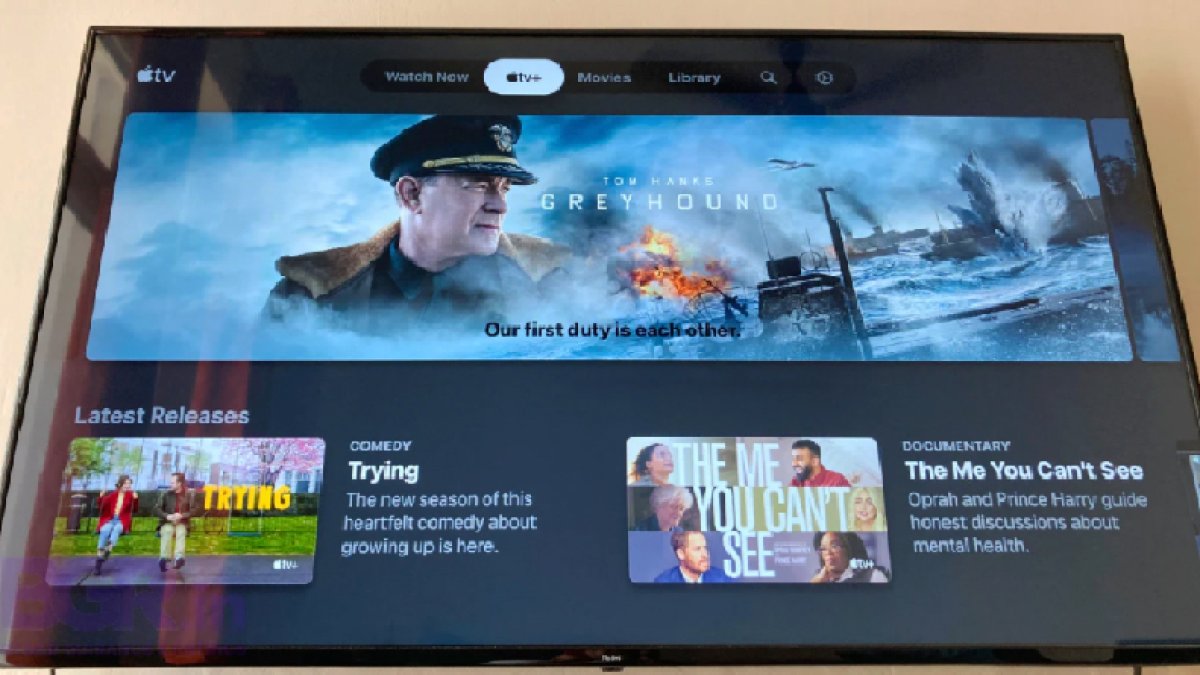
The Apple TV app available on Android TV devices is a major expansion for Apple's streaming platform, bringing it to millions of smart TVs and streaming sticks that run Google's Android TV operating system. Previously limited to Apple's own ecosystem and a handful of third-party platforms, the app can now be downloaded directly from the Google Play Store — giving Android TV users access to Apple Originals, movies, and the Apple TV+ subscription service.
Apple TV App Available on Android TV: What You Need to Know
Apple has steadily expanded the reach of its Apple TV app beyond its own devices in recent years. The service first arrived on Amazon's Fire OS ecosystem in late 2019, then on LG's webOS, and now it has made its way to Android TV — one of the most widely used smart TV platforms in the world. Brands like Apple's competitors Sony, Xiaomi, Realme, TCL, Vu, and OnePlus all ship smart TVs powered by Android TV, which means this single rollout reaches an enormous range of devices.
The app has been tested on the Realme Smart TV 4K 43 and installed successfully, with sign-in working without any issues. For compatible hardware, the app supports HDR content up to Dolby Vision quality, and audio can reach Dolby Atmos — the same premium formats available on Apple's own devices.
With this launch, Apple TV joins rivals Netflix, Amazon Prime Video, and Disney+ Hotstar on the Android TV platform, completing the picture for streaming app availability on the operating system.
How to Download and Set Up the Apple TV App on Android TV
Getting the Apple TV app running on your Android TV device is straightforward. Follow these steps:
- Open the Google Play Store on your Android TV device.
- Search for Apple TV and select the official app from the results.
- Tap Install and wait for the download to complete.
- Once installed, launch the app — it will run without requiring you to log in immediately.
- To sign in, navigate to Settings within the app and select the Account option.
- Enter your Apple ID and password to log in.
- If you have an iPhone, you can use the QR code option: scan the on-screen QR code with a QR Code app, then authenticate with Touch ID or Face ID on your iPhone.
What Content Can You Access?
Once signed in, Android TV users can access the full range of content available through the Apple TV platform. This includes:
- Movies available to buy or rent directly through the app.
- Apple TV+ original series and films, accessible with an active Apple TV+ subscription.
- HDR content with support for Dolby Vision and Dolby Atmos on compatible Android TV hardware.
This expansion is particularly significant for users in India, where Android TV is a dominant smart TV platform used by a large number of major TV manufacturers. Previously, Apple TV's absence from Android TV was a notable gap for these users.